Every maintenance department depends on one critical process—executing maintenance work efficiently.
Whether it’s replacing a failed motor, inspecting a transformer, lubricating bearings, or performing a scheduled shutdown, every maintenance activity begins with a work order.
Unfortunately, many organizations still manage work orders using paper forms, phone calls, WhatsApp messages, Excel spreadsheets, or verbal instructions. This often results in missed jobs, delayed repairs, poor communication, and limited visibility into maintenance performance.
Work Order Management Software digitizes the entire maintenance workflow, allowing organizations to create, assign, monitor, and analyze maintenance work from a single platform.
For manufacturing plants, power stations, utilities, textile mills, food processing facilities, and other asset-intensive industries, digital work order management is a core component of an effective Computerized Maintenance Management System (CMMS).
What Is Work Order Management Software?
Work Order Management Software is a digital system that manages maintenance jobs from initiation to completion.
Instead of relying on manual paperwork, every maintenance request is converted into a structured digital work order containing all information required to complete the task.
A work order typically includes:
- Work Order Number
- Equipment Name
- Asset ID
- Job Description
- Maintenance Type
- Priority Level
- Assigned Technician
- Required Spare Parts
- Safety Instructions
- Estimated Labor Hours
- Due Date
- Completion Status
- Technician Notes
- Maintenance History
The software ensures every maintenance activity is planned, tracked, documented, and measurable.
What Is a Work Order?
A work order is an official instruction authorizing maintenance personnel to perform a specific maintenance task.
It serves as the primary communication document between maintenance planners, supervisors, technicians, and operations teams.
Without standardized work orders, maintenance activities become inconsistent, difficult to track, and nearly impossible to analyze.
Types of Maintenance Work Orders
Preventive Maintenance Work Orders
Automatically generated based on scheduled maintenance plans.
Examples include:
- Monthly lubrication
- Quarterly inspections
- Annual overhauls
- Filter replacement
- Motor alignment
These tasks reduce unexpected equipment failures.
Corrective Maintenance Work Orders
Created after identifying equipment defects during inspections.
Examples include:
- Oil leakage repair
- Bearing replacement
- Electrical terminal tightening
- Instrument calibration
Corrective maintenance prevents small issues from becoming major failures.
Breakdown Maintenance Work Orders
Generated immediately after unexpected equipment failure.
Examples include:
- Pump failure
- Conveyor motor burnout
- Boiler trip
- Generator fault
- Compressor shutdown
These work orders usually receive the highest priority.
Inspection Work Orders
Created for routine inspections without immediate repair activities.
Typical inspections include:
- Vibration monitoring
- Thermal imaging
- Electrical testing
- Safety inspections
- Visual equipment checks
Inspection results often trigger future maintenance work.
Shutdown Work Orders
Issued during planned plant shutdowns.
These may involve:
- Equipment overhaul
- Major inspections
- Component replacement
- Cleaning
- Testing
- Commissioning
Shutdown work requires detailed planning and coordination.
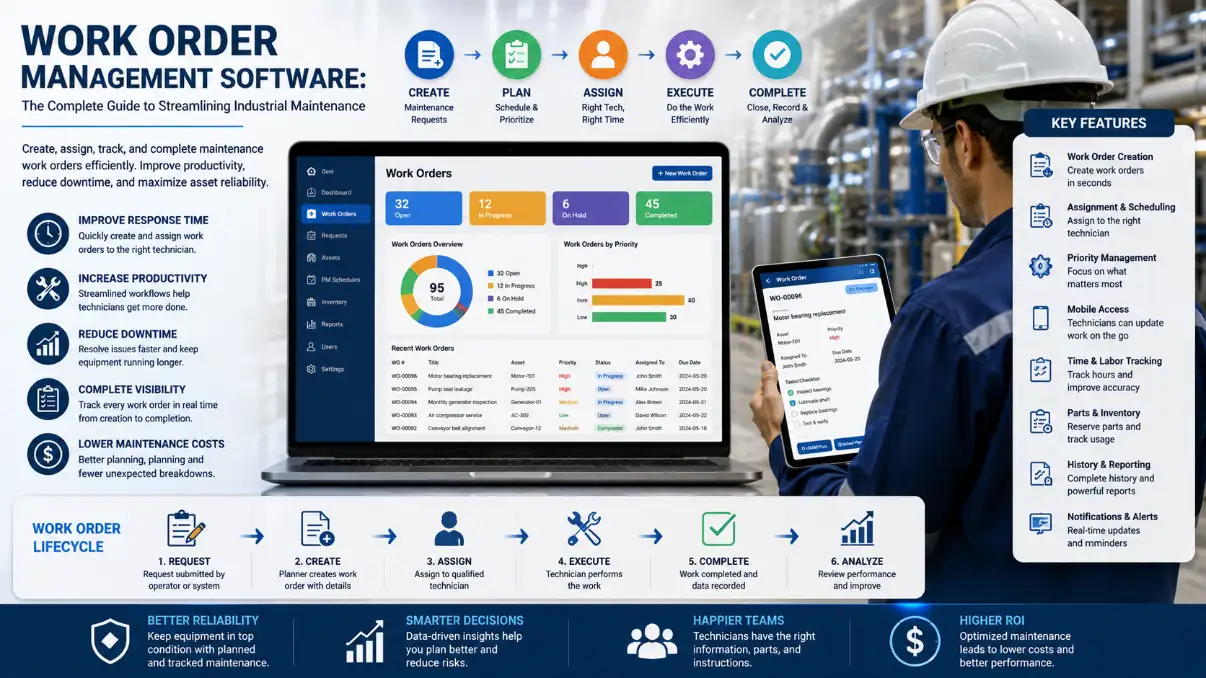
How Work Order Management Software Works
Step 1: Maintenance Request
A maintenance request is submitted when equipment requires attention.
Requests may originate from:
- Operators
- Production supervisors
- Maintenance planners
- Inspection teams
- IoT monitoring systems
Step 2: Work Order Creation
The request is reviewed and converted into a work order.
The planner defines:
- Scope of work
- Priority
- Required resources
- Estimated duration
- Spare parts
- Safety requirements
Step 3: Technician Assignment
The work order is assigned based on:
- Technician skills
- Availability
- Shift schedule
- Equipment expertise
- Workload
Digital assignment improves coordination across maintenance teams.
Step 4: Job Execution
Technicians complete the assigned work while recording:
- Inspection findings
- Repair actions
- Parts consumed
- Labor hours
- Equipment condition
- Photographs (if applicable)
- Completion notes
All activities become part of the equipment’s permanent maintenance history.
Step 5: Work Order Closure
Once verified, supervisors close the work order.
The software stores:
- Completion date
- Downtime
- Maintenance cost
- Technician performance
- Root cause information
- Recommendations
Historical records support future maintenance planning.
Key Features of Work Order Management Software
Digital Work Order Creation
Create maintenance work orders within seconds using standardized templates.
Priority Management
Assign priorities such as:
- Emergency
- High
- Medium
- Low
Critical equipment receives immediate attention.
Technician Assignment
Automatically allocate work to technicians based on skill sets and availability.
Asset Integration
Each work order is linked to a specific asset, providing complete maintenance history.
Preventive Maintenance Automation
Recurring work orders are generated automatically according to maintenance schedules.
Mobile Accessibility
Technicians can:
- Receive assignments
- Update job status
- Record inspections
- Upload photos
- Complete checklists
- Close work orders
directly from mobile devices.
Spare Parts Integration
Reserve and track spare parts used during maintenance, improving inventory accuracy and reducing delays.
Reporting and Analytics
Managers can monitor:
- Open work orders
- Completed work orders
- Overdue tasks
- Technician productivity
- Downtime
- Maintenance costs
- Equipment reliability
Dashboards provide real-time visibility into maintenance operations.
Benefits of Work Order Management Software
Faster Maintenance Response
Digital notifications ensure maintenance requests are processed quickly.
Reduced Equipment Downtime
Well-organized maintenance workflows minimize delays and improve equipment availability.
Improved Technician Productivity
Technicians spend less time searching for instructions or paperwork and more time performing maintenance.
Better Maintenance Planning
Supervisors can schedule work based on priorities, available labor, and equipment criticality.
Complete Maintenance History
Every maintenance activity is recorded, making it easier to troubleshoot recurring failures and plan future maintenance.
Greater Accountability
Managers can track:
- Who performed the work
- When it was completed
- How long it took
- Which parts were used
- Total maintenance cost
This transparency improves operational control.
Industries That Benefit
Work Order Management Software is widely used in:
- Power Plants
- Manufacturing Facilities
- Textile Mills
- Cement Plants
- Steel Plants
- Pharmaceutical Manufacturing
- Food Processing
- Oil & Gas
- Water Treatment Plants
- Chemical Industries
- Commercial Buildings
- Hospitals
- Airports
- Utility Companies
- Renewable Energy Plants
Manual Work Orders vs Digital Work Orders
| Manual Process | Digital Work Order Software |
|---|---|
| Paper forms | Digital records |
| Difficult tracking | Real-time status updates |
| Lost documents | Centralized database |
| Manual assignment | Automated workflow |
| Limited reporting | Instant dashboards |
| Delayed communication | Real-time notifications |
| No maintenance history | Complete asset history |
Digital workflows improve accuracy, visibility, and operational efficiency.
Key Performance Indicators for Work Order Management
Organizations should monitor:
- Work Order Completion Rate
- Average Response Time
- Average Repair Time
- Preventive Maintenance Compliance
- Emergency Work Order Percentage
- Technician Productivity
- Maintenance Backlog
- Work Order Aging
- Maintenance Cost per Work Order
Tracking these KPIs helps identify opportunities for continuous improvement.
Choosing the Right Work Order Management Software
Look for software that offers:
- Cloud-based deployment
- Mobile technician access
- Automated work order generation
- Asset management integration
- Preventive maintenance scheduling
- Spare parts management
- Digital inspection checklists
- Multi-site support
- Role-based access control
- Custom reporting and dashboards
- Easy integration with existing business systems
How Wrysto Simplifies Work Order Management
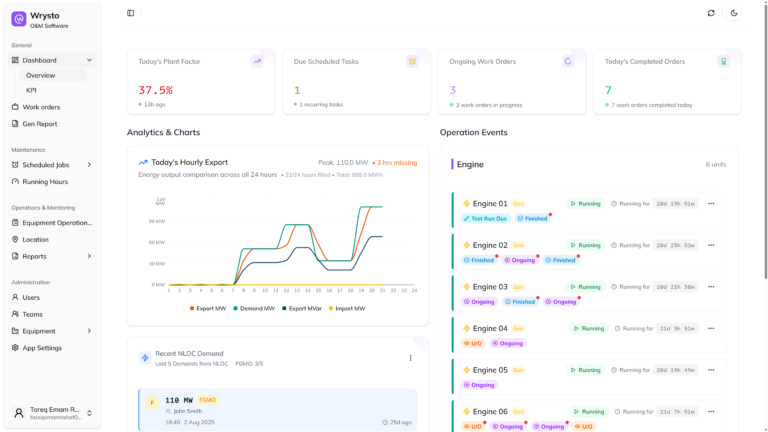
Wrysto provides a cloud-based maintenance management platform that digitizes the entire work order lifecycle.
Key capabilities include:
- Digital work order creation
- Preventive maintenance scheduling
- Technician assignment
- Asset management
- Equipment maintenance history
- Spare parts tracking
- Digital inspection forms
- Mobile maintenance access
- Maintenance dashboards
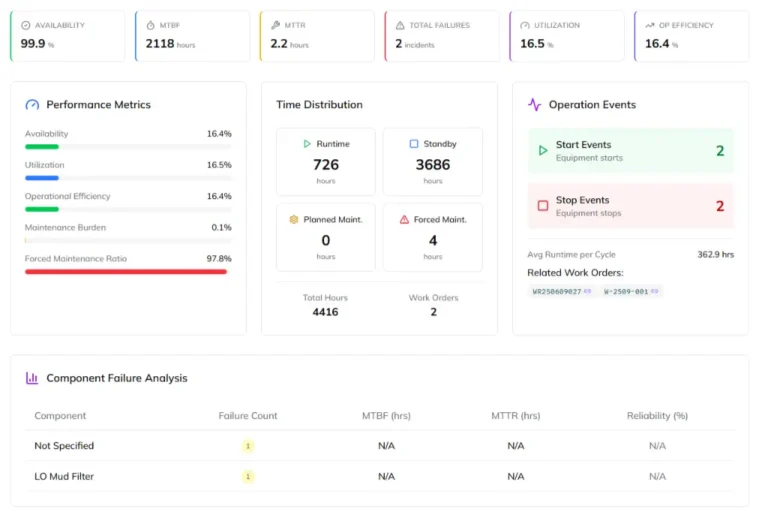
- KPI reporting
- Multi-plant management
By centralizing maintenance activities, Wrysto helps organizations reduce downtime, improve maintenance efficiency, and maintain complete visibility over maintenance operations.
Frequently Asked Questions
What is work order management software?
Work order management software is a digital system that creates, assigns, tracks, and records maintenance work throughout its lifecycle.
How does it improve maintenance?
It standardizes maintenance processes, reduces paperwork, improves communication, automates scheduling, and provides real-time visibility into maintenance activities.
Is work order management software part of a CMMS?
Yes. Work order management is one of the core modules of a Computerized Maintenance Management System (CMMS).
Can technicians update work orders from mobile devices?
Most modern cloud-based systems allow technicians to receive assignments, record inspections, update job progress, and close work orders using smartphones or tablets.
Which industries benefit most?
Any organization managing physical assets can benefit, including manufacturing, power generation, utilities, oil and gas, pharmaceuticals, food processing, and commercial facilities.
Conclusion
An effective maintenance program depends on the ability to execute work consistently, efficiently, and with complete visibility. Work Order Management Software replaces fragmented manual processes with a structured digital workflow that improves coordination, accountability, and asset reliability.
By automating work order creation, assigning tasks intelligently, tracking progress in real time, and maintaining a complete maintenance history, organizations can reduce downtime, increase technician productivity, and make better maintenance decisions.
Wrysto brings these capabilities together in a cloud-based maintenance management platform designed for industrial environments. Whether your goal is to improve preventive maintenance, streamline technician workflows, or gain better insight into maintenance performance, digital work order management is a critical step toward operational excellence.